

Featured Stage
Bomb It 2

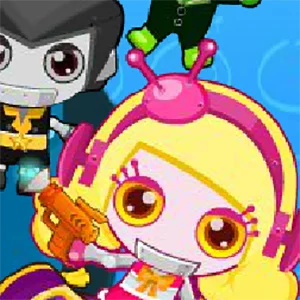
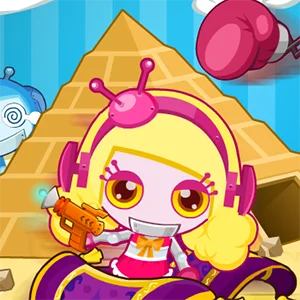


Bomb It 2 turns a simple maze duel into a much busier arcade challenge
Bomb It 2 is a browser action game built around the same easy-to-read idea that made the first game work so well: move through a compact arena, plant explosives, open blocked paths, and trap your rivals before they trap you. What makes the sequel stand out is how much more variety it layers onto that formula. Matches are still quick and readable, but the pace rises faster because you are not only dealing with bombs. Different arenas add moving hazards, several modes change the win condition, and pickups can turn a cautious round into a scramble in a few seconds.
That broader ruleset gives Bomb It 2 a stronger party-game energy than a plain survival maze. You can focus on smart placement, or you can lean into the chaos of coins, color control, special weapons, and vehicle pickups. The game stays approachable because every round happens on one screen and the feedback is immediate.
What you actually do in a match
In its most familiar mode, the goal is simply to eliminate the other robots in the arena. You begin in a corner, surrounded by destructible blocks and narrow corridors. Dropping a bomb on your current tile starts a short countdown, then the explosion fires outward in a cross pattern. That blast removes soft blocks, can trigger nearby bombs early, and defeats any character caught in range. The core loop is straightforward: carve paths, collect useful upgrades, pressure the center of the map, and keep a safe escape route open after every attack.
Bomb It 2 adds more structure than the first game by letting you choose different rule sets. Arcade mode stays closest to classic Bomberman, while other options ask you to collect coins, color tiles by moving across them, or fight with weapons rather than standard bomb play. Because the objective changes, the same map can feel different from one run to the next.
The arenas matter more than they first appear
Several stages include their own gimmicks, and those details are worth learning early. Some maps use conveyor belts that pull you off your preferred line, others include slippery ice, teleporters, trampolines, or a moving minecart that can wipe out players and obstacles alike. These features are not just visual decoration. They change how long you can safely wait in one lane and where an enemy is likely to end up after panic movement starts.
How to play Bomb It 2 in your browser
On this site, Bomb It 2 runs directly in the browser, so the path from loading screen to first round is short. Start the game, choose whether you want single-player or local two-player play, then pick the number of levels and difficulty. Short runs are great for learning because the game is built around repeating compact rounds instead of one long campaign.
Single-player controls are simple: move with the arrow keys and use the spacebar to place a bomb or trigger your current weapon. In local multiplayer, Player 1 usually uses WASD plus the spacebar, while Player 2 uses the arrow keys and Enter. Since both players share one screen, clear movement is more important than frantic button presses. Bomb It 2 rewards planned routes, not messy zigzags. The best habit is to decide where you will run before you drop a bomb rather than after.
Pickups, weapons, and vehicles create the real momentum swings
Basic power-ups do exactly what most players hope for. Extra bomb capacity lets you control more lanes at once, blast range upgrades make each explosion cover more tiles, and speed boosts help you recover from risky positioning. Shields and extra lives are especially valuable because they buy forgiveness during crowded moments when several bombs and hazards overlap.
Special weapons add another layer of pressure. Depending on the item you grab, you may get options such as a rocket launcher, flamethrower, laser gun, land mine, hammer, or remote bomb. These tools are limited-use, so they work best when saved for situations that standard bombs handle poorly. Vehicles also matter more than they first appear, because a race car, bulldozer, or frog can completely change how you escape or corner someone.
Practical habits that improve your win rate
The most common beginner mistake is treating every bomb as an all-in attack. Good Bomb It 2 play is less about reckless offense and more about shaping the arena. Use early bombs to open local space, then watch how opponents react to wider lanes. If you rush into the center too soon, you often die with too little room to turn.
Another mistake is collecting items without adjusting your play style. More speed feels powerful, but it also makes sloppy movement worse. More bombs sound useful, yet they can overcrowd your own routes if you keep placing them reflexively. Chain reactions are usually stronger than direct chases, because closing a retreat path or forcing an enemy onto a hazard is more reliable than hoping they stand still.
Why Bomb It 2 still feels lively years after release
Bomb It 2 was released in 2008 as the second game in the series, developed by Zlong Games and published by Spil Games. It came from the Flash browser era, when short-session arcade games had to explain themselves in seconds and stay replayable without long tutorials. That design background still shows, and later HTML5 versions helped keep it playable after the wider move away from Flash.
The sequel earns its identity by expanding the original rather than merely repeating it. More objectives, more arena tricks, and more combat toys give it a louder personality without making the controls hard to learn, which is why it still works so well in a browser today.
FAQ
Can I play Bomb It 2 online for free?
Yes. Bomb It 2 is designed for browser play, so you can start a round online without installing a separate program.
Does Bomb It 2 support two players?
Yes. The game supports local two-player play on the same keyboard, while additional robot opponents remain AI-controlled in the arena.
What are the default controls?
In single-player, use the arrow keys to move and the spacebar to place a bomb or use a weapon. In local multiplayer, Player 1 usually uses WASD plus spacebar, while Player 2 uses the arrow keys and Enter.
Are bombs the only way to win?
No. Standard bombs are central to the game, but Bomb It 2 also includes weapon-based modes and limited-use pickups such as rockets, lasers, mines, and flamethrowers.
Why do I lose after placing what seems like a good bomb?
The usual reason is escape planning. A strong attack is still a bad move if you do not leave yourself a clean path before the countdown ends or a chain reaction starts.
Do the arenas change gameplay in meaningful ways?
Yes. Stage gimmicks such as conveyor belts, ice, teleporters, trampolines, and moving hazards can redirect movement and create traps that would not exist on a plain map.
Updated May 11, 2026. Reviewed by the BombIt.org editorial team for browser playability, controls, page metadata, and internal links.
Learn more about the site process on the About page.
Comments
Loading comments…